Video EditingComparison
DaVinci Resolve vs Premiere Pro: Colour, Cost and Ecosystem
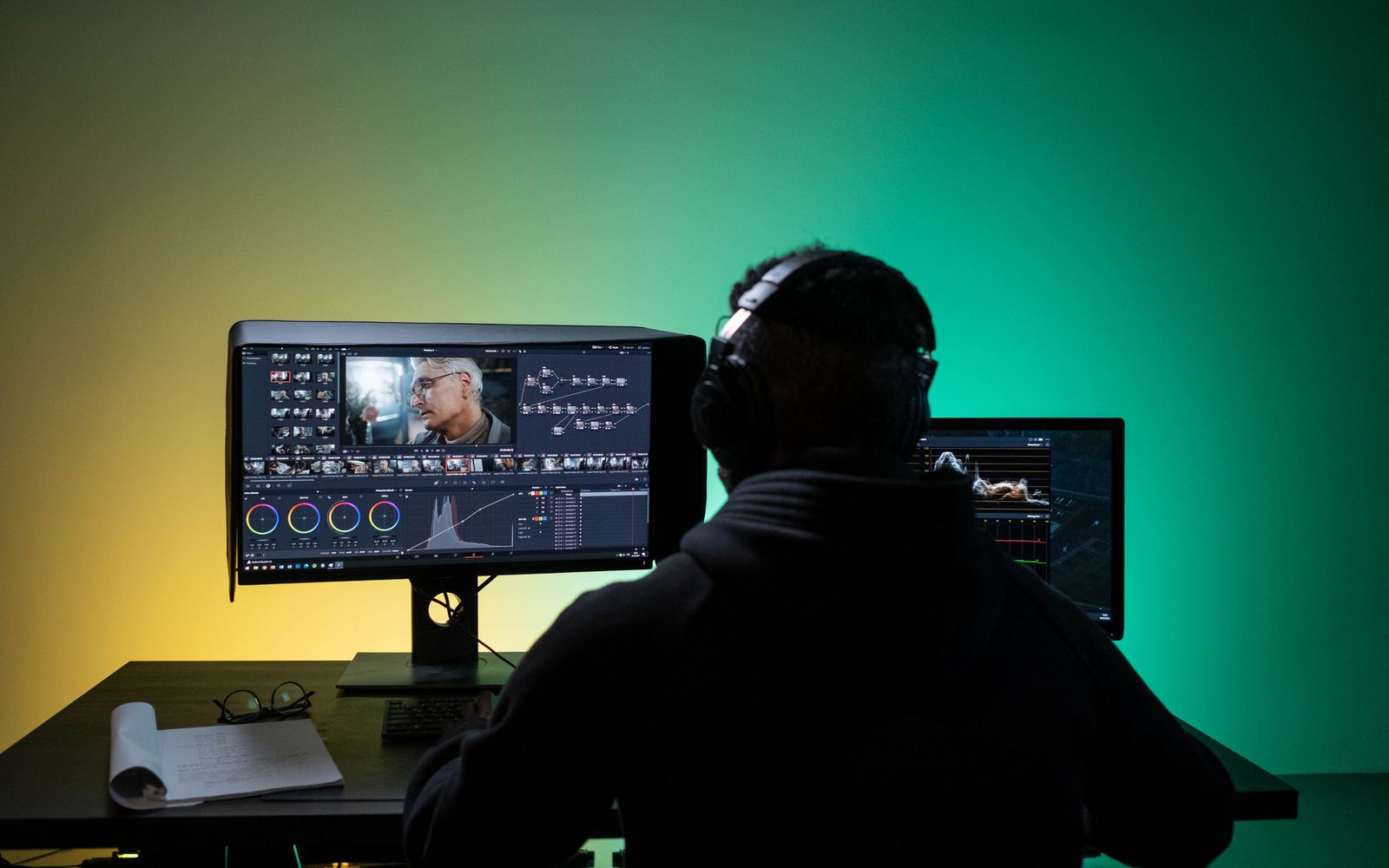
DaVinci Resolve has a free version with a colour page that many professionals prefer. Premiere Pro offers a tighter connection to Adobe’s tools and to team workflows. The cost is only part of the decision.
- Author
- GraphiSphere Editorial Team
- Published
- Updated
- Reading time
- 4 min read
Contents
Comparison summary
Quick answer
Choose DaVinci Resolve if colour grading is central to your work and you want a free, deep, all-in-one editor. Choose Premiere Pro if you need tight integration with After Effects and Audition, Adobe asset management or a team workflow built around Creative Cloud.
DaVinci Resolve
Choose it for: Colour-led work, free professional editing, all-in-one finishing
Adobe Premiere Pro
Choose it for: Adobe-integrated workflows, team projects, motion graphics handoff
For beginners
Premiere Pro, if you already use Adobe software. DaVinci Resolve’s free version is an excellent choice for beginners who want to learn colour early, though its interface has more pages to learn.
For professionals
DaVinci Resolve for colour-critical and all-in-one finishing work. Premiere Pro for teams that need Adobe integration and standard Creative Cloud handoffs.
Who each is for
DaVinci Resolve is made by Blackmagic Design and built around a sequence of pages: media, cut, edit, Fusion for compositing, colour, Fairlight for audio and deliver. Its appeal is that one application handles most of the post-production process, and its colour page is widely respected. Premiere Pro is built for editors who work within the Adobe ecosystem and need reliable project management, integration with After Effects and Audition, and a conventional editing timeline. The difference is philosophy: all-in-one versus connected suite.
Feature comparison
DaVinci Resolve and Premiere Pro across post-production
| Area | DaVinci Resolve | Premiere Pro |
|---|---|---|
| Colour grading | Strong; the colour page is a core strength | Good through Lumetri; less deep |
| Editing | Mature cut and edit pages | Mature and familiar timeline |
| Audio | Fairlight page, with serious mixing tools | Essential Sound and audio mixing |
| Visual effects | Fusion, a node-based compositing tool | Integrates with After Effects |
| Free version | Capable, with Studio as the paid upgrade | Subscription only |
| Ecosystem links | Blackmagic hardware and its own pipeline | Adobe apps and Creative Cloud |
Ease of use
Premiere Pro is easier for editors coming from other Adobe applications, because the panels and shortcuts feel consistent. DaVinci Resolve is powerful but dense. Its pages are organised by task, which helps once you know them, and the colour page introduces nodes, which take time to understand. Learning Resolve is a larger investment up front, and the return is strong for anyone who grades regularly.
Workflow
Premiere Pro’s workflow moves between Premiere, After Effects, Audition and Photoshop, with Dynamic Link allowing live connections. DaVinci Resolve keeps most work inside one application, moving from cut to colour to audio and delivery without leaving it. For a solo editor who does everything, Resolve’s workflow is efficient. For a team split by specialisms, Premiere’s handoffs are familiar to many collaborators.
Professional features
Both tools deliver professional-quality output. Resolve’s colour science, scopes and grading tools are strong, and its audio page handles mixing at a serious level. Premiere offers mature multi-camera tools, broad codec support and a well-understood set of export options. The professional features most editors need are present in both. The difference shows up when you need one specific deep tool: colour in Resolve, motion graphics in After Effects.
Collaboration
Premiere Pro has the more established team workflow, with shared projects, review integration and well-understood handoffs. DaVinci Resolve offers collaboration features in its Studio version, including shared projects and database-based workflows, and many facilities use it in multi-user environments. For most small teams, Premiere’s collaboration is more familiar. For facilities built around Resolve, its collaboration tools are well suited to colour-led pipelines.
AI capabilities
Both tools have added AI features, including transcription, object masking and tools for audio cleanup. Premiere’s transcription and generative features are tied to Adobe’s plan structure and allowances. Resolve’s AI tools are included in its feature set and vary by version. Check the current feature list for each before relying on a specific tool, and treat generated output as a draft that needs review.
Pricing considerations
DaVinci Resolve’s free version is capable enough for many professional projects, and it is a strong argument for anyone starting out. Its Studio version is a one-time purchase at the time of writing, though pricing and terms change, so verify before you buy. Premiere Pro is a subscription, either alone or as part of Creative Cloud. The cost gap is significant for solo editors who do not need Adobe’s other tools. For teams already paying for Creative Cloud, the calculation is different.
Pros and cons
Pros
- DaVinci Resolve: free version with a strong colour page
- DaVinci Resolve: all-in-one post-production in one application
- Premiere Pro: familiar to Adobe users and well suited to teams
- Premiere Pro: tight integration with After Effects and Audition
Cons
- DaVinci Resolve: dense interface and steep early learning curve
- DaVinci Resolve: demanding on graphics hardware
- Premiere Pro: subscription cost
- Premiere Pro: colour grading depth trails Resolve
Best choice for beginners
For a beginner who already uses Adobe software, Premiere Pro is the smoother path. For a beginner who wants to learn colour and does not mind a denser interface, DaVinci Resolve’s free version is an excellent place to start. Either way, learn the basic edit before moving into grading.
Best choice for professionals
DaVinci Resolve if colour is central to your work, or if you want one application for cut, grade, audio and delivery. Premiere Pro if your work depends on Adobe handoffs, After Effects motion graphics or a team already built around Creative Cloud. Many colourists and editors are comfortable in both.
Final verdict
DaVinci Resolve and Premiere Pro are both professional editors, and the right choice depends on your ecosystem and your priorities. Resolve offers depth, a strong free version and a respected colour page. Premiere offers integration and team familiarity. Read our Premiere Pro review and then test Resolve’s free version on a real project before committing.
Related reading
Video Editing
Adobe Premiere Pro Review: A Serious Editor That Expects a Serious Setup4 min read
Video Editing
CapCut Review: Fast Short-Form Editing, With Questions to Ask First3 min read
Video Editing
How to Choose the Right Video Editing Software for the Video You Make4 min read
Video Editing
Best Video Editing Software: Professional, Free and Short-Form Options3 min read